

If you’re looking for an app that makes your photos stand out with minimal effort, the Luminar Neo app might be the perfect tool for you. Whether you’re a beginner photographer or a seasoned pro, this app offers advanced features that can take your images to the next level. In this guide, we’ll cover everything you need to know about Luminar Neo, from downloading it to understanding its powerful features and tools.
What is Luminar Neo?
The Luminar Neo App is a photo editing app developed by Skylum, designed for both beginners and professional photographers. The app uses AI-powered tools to enhance photos in just a few clicks, making complex photo edits simple. Whether you’re editing portraits, landscapes, or product photos, Luminar Neo provides tools to make your images pop.
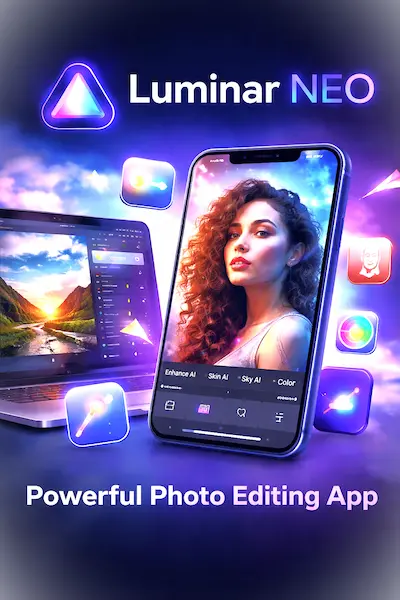
Some of the standout features of Luminar Neo include
- AI-based enhancements
- Sky replacement tools
- Portrait enhancement tools
- Noise reduction
If you’ve ever struggled with photo editing or didn’t know where to start, Luminar Neo is a great choice. It helps make professional-level edits accessible without needing years of experience.
How to Download the Luminar Neo App
Luminar Neo Download for PC
To get started, download Luminar Neo for your computer. It’s available for both Windows and Mac. Here’s how you can download it:
- Visit the official Luminar Neo website.
- Select the Download option for your operating system (PC or Mac).
- Follow the on-screen instructions to install the app.
Once installed, you can start exploring its features right away. The user-friendly interface means you can jump straight into editing.
Luminar Neo Download for Android (APK)
If you want to use Luminar Neo on your Android device, you can download the app as an APK file. Follow these steps:
- Go to a trusted website for downloading APKs (like APKPure or the official website).
- Download the Luminar Neo APK for Android.
- Open the file on your device and allow installation from unknown sources in your phone’s settings.
- Install the app and start editing photos on your phone!
Key Features of Luminar Neo
1. AI Tools for Easy Editing
One of the best features of Luminar Neo is its AI-based editing tools. These tools automatically analyze your photos and apply smart adjustments. For instance, the AI Enhance tool boosts exposure, contrast, and saturation, making your photos look better in seconds.
2. Sky Replacement Tool
Changing the sky in your photos has never been easier. Luminar Neo App allows you to replace dull skies with dramatic, beautiful ones, and even adjust the lighting to match. This is perfect for landscape photographers or anyone wanting to improve their outdoor photos.
3. Portrait Enhancements
Luminar Neo provides tools to enhance portraits. With AI-powered tools like Face AI and Body AI, you can brighten up skin tones, remove blemishes, and even adjust the body shape for a more flattering look—all with a few clicks.
4. Noise Reduction
Noise in photos, especially in low-light situations, can ruin a perfect shot. Luminar Neo uses advanced AI noise reduction technology to remove unwanted grain, preserving details and sharpness.
Is Luminar Neo Free?
While the Luminar Neo app offers a free trial, it’s not completely free. After the trial period, you’ll need to purchase the full version to continue using the app. The paid version offers a lot of advanced tools, making it a worthwhile investment for those who edit photos regularly.
Pros and Cons of Luminar Neo
Pros:
- User-friendly: Great for beginners but still powerful for professionals.
- AI-powered tools: Helps speed up the editing process without compromising quality.
- Great for portraits and landscapes: Special tools for both genres.
- Affordable: Compared to other professional photo editing software, Luminar Neo is quite reasonably priced.
Cons:
- Limited mobile version: While the Android app is functional, it’s not as feature-rich as the desktop version.
- Heavy on system resources: For older computers, the app may run slower during large edits.
How Does Luminar Neo Compare to Other Photo Editing Apps?
1. Luminar Neo vs. Adobe Lightroom
Both Luminar Neo and Adobe Lightroom are powerful photo editors, but Luminar Neo stands out due to its AI-driven tools and easier learning curve. Lightroom offers a wider range of manual controls, but for someone looking for a faster, AI-powered solution, Luminar Neo is a great choice.
2. Luminar Neo vs. Photoshop
While Photoshop is the industry standard for detailed photo manipulation, Luminar Neo is a simpler, faster alternative for everyday edits. Photoshop is more complex and requires more time to learn, whereas Luminar Neo is designed to save time with automatic adjustments.
Luminar Neo App Reviews and User Feedback
Many users have praised Luminar Neo App for its user-friendly design and AI-powered tools. One photographer mentioned that the sky replacement tool was a game-changer, allowing them to create stunning landscape shots in minutes. Others appreciate the portrait enhancement tools, which make retouching quick and easy.
However, some users report that the app can slow down on older computers, especially when handling high-resolution images. If you have a slower system, make sure your computer meets the recommended system requirements before downloading.
FAQs
1. Can I use Luminar Neo on mobile devices?
Yes, you can download the Luminar Neo App for Android, but it’s more feature-rich on desktop versions (PC and Mac).
2. How much does Luminar Neo cost?
After the free trial, Luminar Neo is available for purchase, with prices starting around $79.99 for a one-time payment.
3. Does Luminar Neo support RAW files?
Yes, Luminar supports RAW files, which is important for professional photographers who shoot in this format.
4. Can I use Luminar Neo for video editing?
No, Luminar Neo is a photo editor, not a video editor. For video editing, you’ll need other software like Adobe Premiere Pro or Final Cut Pro.
Conclusion
The Luminar Neo app is a fantastic photo editing app that offers powerful tools for both beginners and advanced users. With its AI-powered features, sky replacement, and portrait enhancement, it makes photo editing fast and easy. Whether you’re using it on your PC or Android device, Luminar Neo is a great choice for anyone who wants to make their photos stand out without spending hours editing.
If you’re looking for a simple yet powerful photo editing tool, Luminar Neo could be the perfect solution for you. Download it today and start transforming your photos into works of art!