
TikTok Live has taken the world by storm, with millions of creators engaging audiences through short-form video content. But what about live streaming? Adding live sessions to your TikTok repertoire can increase engagement, grow your audience, and unlock new features. Whether you’re a seasoned influencer or just getting started, this guide will take you through everything you need to know about going live on TikTok in 2025.
Why Go Live on TikTok Live?
Before diving into the “how” of TikTok live streaming, let’s talk about why you should consider it in the first place. Live streaming is one of the most interactive ways to engage with your followers and build a real-time connection. Here’s why it’s worth exploring:
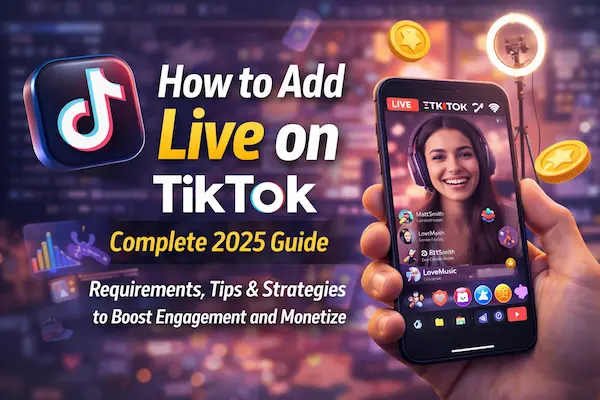
Real-Time Interaction
Live streaming on TikTok Live allows you to interact with your audience instantly. This real-time connection can lead to stronger relationships with your followers, making them feel valued and more likely to engage with your content in the future.
Boost Your Visibility
TikTok tends to promote live streams, especially those with good viewer engagement. Going live can significantly boost your visibility, placing you in front of a wider audience.
Monetization Opportunities
TikTok lets viewers send you gifts and donations while you’re live-streaming if you meet certain requirements. This gives creators another way to make money.
Exclusive Content
Going live gives you the chance to provide exclusive, behind-the-scenes content that your followers may not get from your regular videos.
Now that you understand the benefits, let’s break down how you can add live on TikTok Live.
How to Add Live on TikTok in 2025
As of 2025, going live on TikTok isn’t limited to a select group of users, but there are still some requirements you must meet before you can stream. Here’s how to get started.
Ensure You Meet the Requirements
TikTok has set certain eligibility requirements for users to go live:
- Age Requirement: You must be at least 16 years old to use TikTok’s live feature. If you’re over 18, you can access more features, including sending and receiving virtual gifts during the live stream.
- Follower Count: You need a minimum of 1,000 followers to be eligible to go live.
- Account Standing: Your account must be in good standing, meaning no violations of TikTok’s community guidelines.
Once you meet these requirements, you’re good to go. But how do you actually start your live stream?
Navigating the Live Feature
TikTok makes going live fairly easy. Here’s how to start a live stream on TikTok:
- Open TikTok: Launch the app and log in to your account.
- Tap the ‘+’ Icon: This is the button you use to create new content.
- Select ‘Go Live’: After tapping the ‘+’ icon, you’ll see an option for “Go Live” at the bottom of your screen. Tap it to begin.
- Choose Your Settings: Before you start streaming, you’ll be prompted to enter a title for your stream. You can also add hashtags and select the audience for your live video (e.g., public or private).
- Start Streaming: When you’re ready, tap Go Live, and your stream will begin!
Creating an Engaging Live Experience
Your first live stream is likely to be a learning experience, but there are ways to make it more engaging. Here are some tips to ensure your live stream is fun and interactive:
- Engage with Your Viewers: Acknowledge comments in real-time, ask questions, and encourage viewers to interact.
- Be Consistent: Go live on a regular schedule to build anticipation and attract loyal viewers.
- Promote Your Live Stream: Announce your live stream ahead of time on your TikTok profile and other social media platforms to drive traffic.
- Use High-Quality Equipment: A steady phone and clear audio are essential. Consider using a tripod and an external microphone to improve production quality.
- Host Giveaways or Q&A: Interactive sessions like giveaways or live Q&A sessions can increase engagement and attract more viewers.
Advanced Tips for Going Live on TikTok
Once you’ve gotten comfortable with the basics of going live, it’s time to take your streams to the next level. Here are some advanced strategies:
Collaborate with Others
You can now co-host live streams with other users on TikTok. This can expand your audience and bring a fresh dynamic to your content. You can invite other TikTok users to join your live session and collaborate in real-time.
Use Live Stream Tools
TikTok offers various tools to enhance your live stream. Some of these include:
- Effects: Add fun visual effects to your live stream.
- Filters: Apply different filters to enhance your video.
- Interactive Features: Use polls, quizzes, and donation options to keep your audience engaged.
Monetize Your Live Stream
Once you’re eligible for TikTok’s Gifting feature, you can start receiving virtual gifts from your audience during your live stream. These gifts can be exchanged for real money.
Promote Your Products
If you’re using TikTok to promote a business, live streaming is a great way to showcase your products. For example, fashion influencers often do live shopping events, where viewers can purchase items directly from the live stream.
Track Your Analytics
TikTok Live provides live stream analytics to help you track performance. Monitor metrics like the number of viewers, gifts received, and engagement rates to improve future streams.
Troubleshooting Common Live Stream Issues
Like any platform, TikTok may present some challenges when going live. Here are a few common issues and how to solve them:
Low Viewer Engagement
If your live streams aren’t getting the attention they deserve, try promoting them on other platforms. Build excitement by sharing sneak peeks and asking questions that will get your followers talking.
Stream Freezing or Lagging
Ensure you have a strong internet connection before going live. If your stream freezes, try switching to a Wi-Fi network or a closer proximity to your router.
Audio or Video Issues
Check that your microphone and camera are working properly before going live. If issues persist, try restarting the app or reinstalling it to fix glitches.
How to Add Live Streaming to Your TikTok Live
TikTok live streaming is not just a one-off event but an important part of a broader strategy. Here’s how to make the most of your live streams:
Integrate Live Streaming into Your Content Calendar
Schedule live streams as part of your regular content calendar. Consistency builds anticipation, so your followers will know when to tune in.
Cross-Promote Your Live Sessions
Promote your upcoming live sessions on TikTok Live Online and other social media platforms like Instagram, Twitter, and YouTube to reach a broader audience.
Create Special Live-Only Content
Offer exclusive content only available through live streams to encourage followers to tune in.
Conclusion
TikTok live streaming feature is a powerful tool for creators who want to engage with their audience in real-time. By following this guide, you can start streaming on TikTok, create high-quality live content, and even monetize your sessions. Remember to stay consistent, interact with your viewers, and leverage advanced tools and features to elevate your live stream experience.
Are you ready to go live on TikTok? Let us know how your first stream goes, and feel free to share any tips or experiences in the comments below!